Encharge: Revolutionizing Email Marketing With No-Code Automation
- April 30, 2025
- Zakaria Babu
- AppSumo
- 0
Building automated email sequences can be a real headache, right? Encharge tackles that by offering a super easy visual drag-and-drop system, which is way simpler than a lot of the other complicated platforms out there. Basically, they're aiming to make email marketing automation user-friendly and effective.
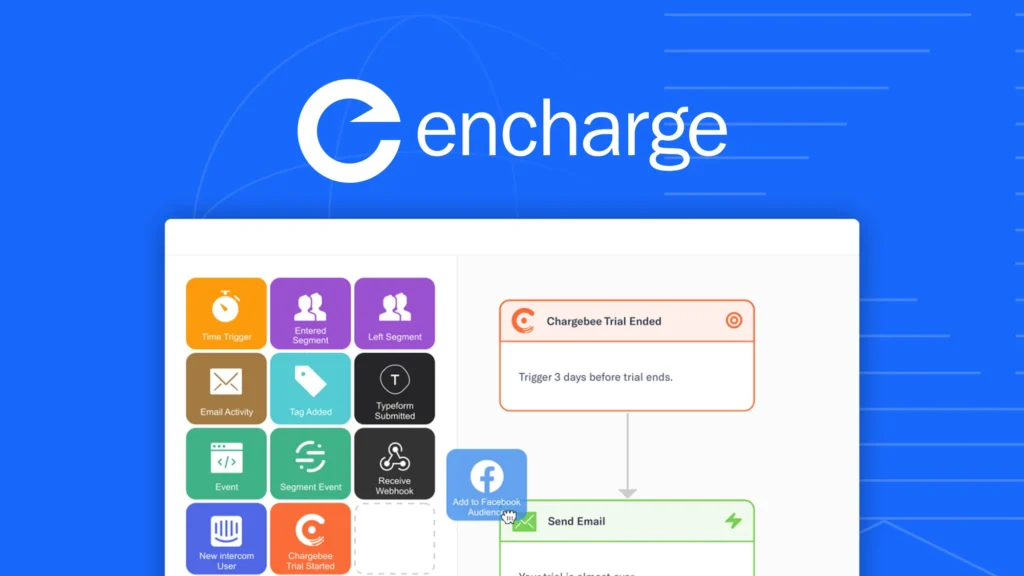
Ever stared at your screen, frustrated by the complex web of settings just to send an automated email sequence? (“Why does ‘if this, then that' feel like a threat?” — I've been there too!)
Email marketing automation shouldn't require a computer science degree. Yet for many marketers and business owners, particularly in the SaaS world, that's exactly what it feels like. Between clunky interfaces, convoluted logic, and seemingly endless configuration options, you're spending precious hours troubleshooting when you could be connecting with clients.
That's where Encharge comes in — the email marketing platform that's changing the game with its visual, drag-and-drop approach to automation. As someone who's tested countless marketing tools, I can tell you that Encharge stands out by making the complex simple without sacrificing power.
Let's dive into how this tool is transforming the way businesses handle email marketing, and why it might be exactly what you've been looking for.
Table of Contents
What Is Encharge? Breaking Down the Basics
Encharge is a robust marketing automation platform designed specifically for marketers who want powerful functionality without the technical headaches. At its core, Encharge allows you to automate email workflows, segment audiences, and deliver personalized, high-converting emails — all through an intuitive drag-and-drop flow builder.
Unlike traditional email marketing tools that either lack advanced automation capabilities or make them unnecessarily complicated, Encharge strikes that perfect balance between sophistication and simplicity.
The platform was built with a clear philosophy: marketing automation should be visual, intuitive, and accessible to everyone, not just developers or technical marketing specialists.
Key features that make Encharge stand out:
- Visual flow builder that lets you map customer journeys without coding
- Dynamic segmentation based on user behavior and engagement
- Deep integrations with tools like Stripe, HubSpot, and Zapier
- Broadcast capabilities for newsletters and one-time announcements
- A/B testing to optimize email performance
- Advanced personalization options for tailored messaging
For marketers tired of fighting with their email marketing software, Encharge feels like a breath of fresh air. But what exactly can you do with it? Let's explore.
No-Code Automation: Building Email Workflows Without Technical Headaches
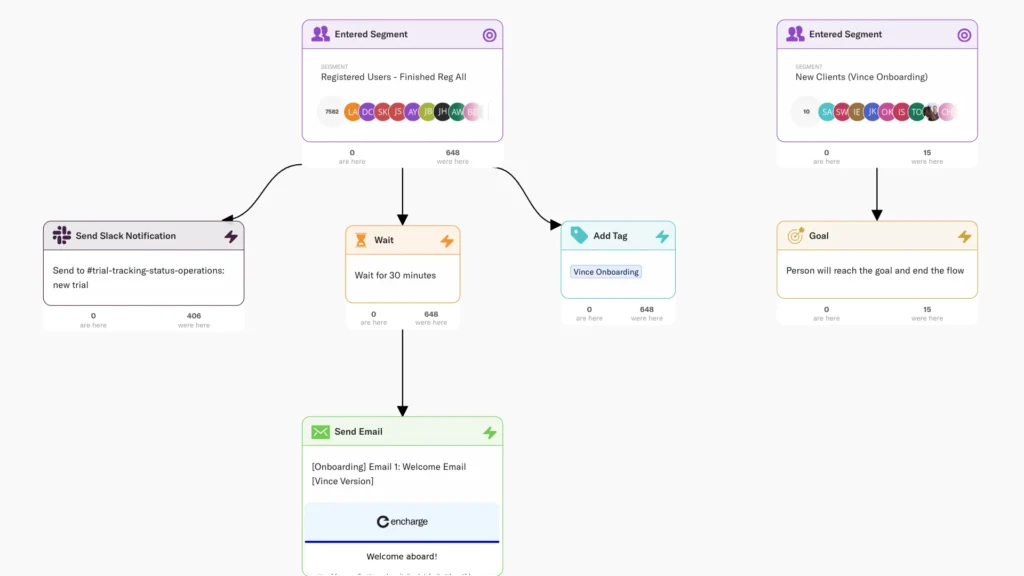
The centerpiece of Encharge is its visual automation builder. This drag-and-drop interface transforms what would typically be complex, code-heavy processes into something visual and intuitive.
Picture this: You want to create an onboarding sequence that sends different emails based on whether someone signed up for your free trial, downloaded your ebook, or requested a demo. With traditional tools, you'd need to navigate through multiple screens, set up conditions with clunky interfaces, and possibly even dabble in some light coding.
With Encharge, you simply:
- Drag in your trigger (e.g., “User signs up for trial”)
- Connect it to different email steps
- Add conditions to create branching paths
- Connect additional actions like CRM updates or team notifications
The entire process is visual — you can literally see the user journey mapped out in front of you, making it easy to understand the flow and spot potential issues.
“I was spending 4-5 hours setting up simple automated sequences in our previous tool. With Encharge, I can create more sophisticated flows in under an hour,” a marketing manager might tell you. That's the difference between a tool built for developers versus one built for marketers.
Beyond Email: What Sets Encharge Apart
While email is at its heart, Encharge goes beyond simple message delivery. It's designed as a central hub for your marketing automation needs.
Behavior-Based Triggers That Actually Work
One of Encharge's most powerful features is its ability to trigger emails based on real user behavior. This isn't just limited to email interactions (opens, clicks) but extends to:
- Product usage (when users activate specific features)
- Website activity (pages visited, actions taken)
- Purchase behavior (subscription started, plan changed)
- Inactivity signals (potential churn indicators)
These behavioral triggers allow you to create truly personalized experiences that respond to what users are actually doing, not just generic time-based sequences.
Segmentation That Gets Granular
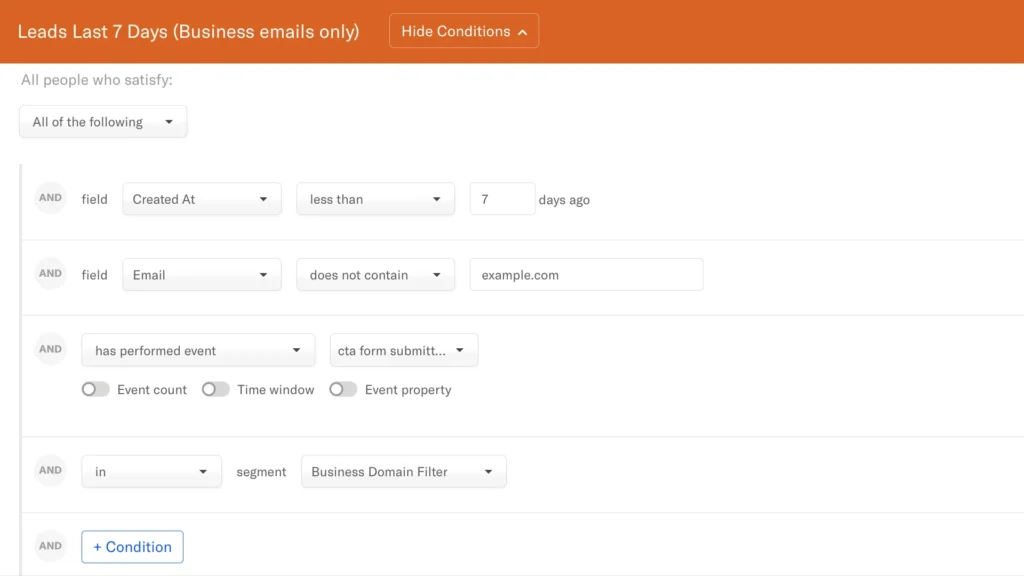
Segmentation in email marketing isn't new, but Encharge takes it to another level with dynamic segments that automatically update based on real-time data.
You can segment users based on:
| Segmentation Type | Examples |
|---|---|
| Behavioral Data | Feature usage, website visits, email engagement |
| Customer Data | Plan type, subscription status, purchase history |
| Demographic Info | Location, company size, industry |
| Custom Fields | Any attribute you track in your CRM or product |
The power comes from combining these factors. For example, you could target “Enterprise users who haven't logged in for 14 days but previously used your reporting feature at least 3 times” — that's the kind of specific targeting that drives results.
Seamless Integration Ecosystem
No marketing tool exists in isolation. Encharge understands this and offers deep integrations with over 40 popular tools, including:
- CRMs like HubSpot and Intercom
- Payment processors like Stripe and Chargebee
- Analytics platforms like Segment
- And virtually anything else through Zapier and webhook connections
These integrations ensure that data flows freely between your tools, providing a complete picture of your customers and enabling truly coordinated marketing efforts.
Real-World Applications: How Businesses Use Encharge
The true test of any marketing tool is how it performs in real-world scenarios. Let's look at some common use cases where Encharge shines:
For SaaS Companies: User Onboarding That Converts
SaaS businesses can create sophisticated onboarding sequences that adapt based on user activity. For example:
- Send specific tutorials when users reach certain steps in your app
- Trigger help resources when users appear stuck
- Celebrate milestones to encourage continued engagement
- Prompt for upgrades when usage patterns suggest readiness
This adaptive approach to onboarding can dramatically improve activation rates and reduce time-to-value for new users.
For Marketing Agencies: Client Communication on Autopilot
Agencies juggling multiple clients can automate status updates, report deliveries, and check-ins:
- Automatically send weekly progress reports pulled from live data
- Trigger case study requests after successful campaign completions
- Send renewal reminders with personalized performance highlights
- Create client-specific newsletters with relevant industry updates
These automations free up account managers to focus on strategy rather than routine communications.
For E-commerce: Cart Recovery and Customer Retention
Online retailers can implement sophisticated abandoned cart sequences and post-purchase nurturing:
- Send tailored cart recovery emails with dynamic product information
- Create post-purchase sequences with complementary product recommendations
- Trigger reviews requests at the optimal time
- Deliver replenishment reminders based on typical usage patterns
The result is increased revenue from existing customers — often the most profitable segment for e-commerce businesses.
How Does Encharge Compare to Alternatives?
Many marketers wonder how Encharge stacks up against established email marketing platforms. While each tool has its strengths, here's how Encharge differentiates itself:
| Feature | Encharge | Traditional Email Tools |
|---|---|---|
| Automation Interface | Visual flow builder with drag-and-drop | Often text-based or limited visual elements |
| Segmentation | Dynamic, behavior-based | Often static or limited behavior tracking |
| Ease of Use | Designed for marketers | Many require technical knowledge |
| Product Integration | Deep, event-based tracking | Often limited to basic page views |
| Team Collaboration | Unlimited team members on all plans | Often charge per user |
| Focus | Built for SaaS and product-led growth | Usually generic email marketing |
The key difference is Encharge's focus on making sophisticated marketing automation accessible to non-technical users, particularly those in SaaS and product-led businesses.
Getting Started: From Setup to First Campaign
One of Encharge's strengths is how quickly you can get up and running. Let's walk through the typical setup process:
- Account creation and integration: Connect your website, product, and other marketing tools
- Import existing contacts: Bring in your user base with their attributes and behavioral data
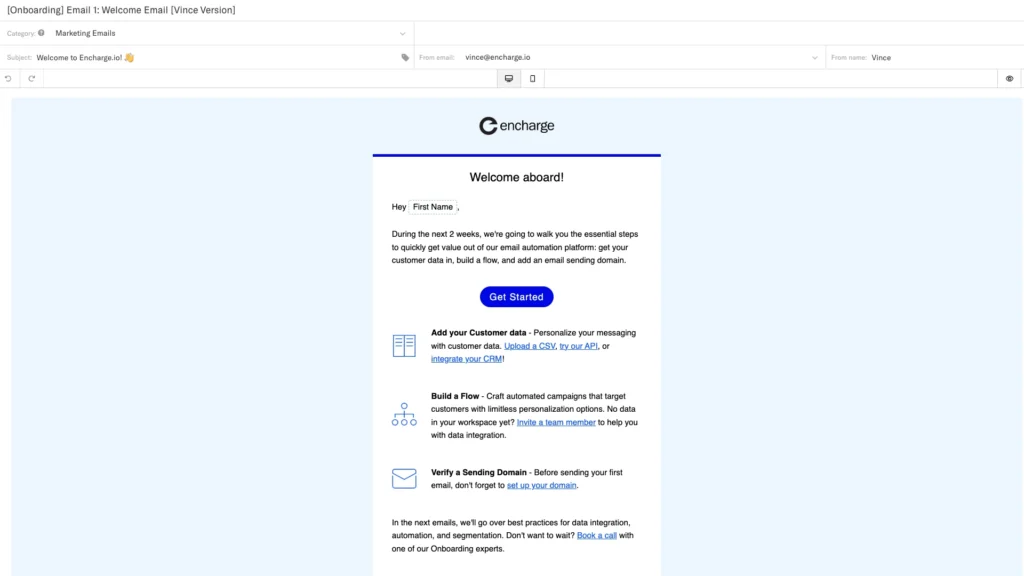
- Create your first flow: Start with a simple welcome sequence or onboarding flow
- Build and test emails: Use the drag-and-drop editor to create mobile-responsive emails
- Activate and monitor: Launch your automation and track performance in real-time
Most users can set up their first automated flow within a day, compared to weeks with more complex systems that require developer assistance.
Maximizing Email Deliverability with Encharge
All the automation in the world doesn't matter if your emails don't reach the inbox. Encharge takes deliverability seriously by:
- Partnering with Sendgrid, an industry leader in email delivery
- Using a proprietary algorithm to monitor engagement and improve sender reputation
- Manually reviewing new users to prevent spammers from affecting the platform
- Providing built-in email verification to clean your list of invalid addresses
These measures help ensure your carefully crafted emails actually reach your audience — a critical factor often overlooked when comparing email marketing tools.
Advanced Techniques: Taking Your Automation to the Next Level
Once you've mastered the basics, Encharge offers advanced capabilities for sophisticated marketers:
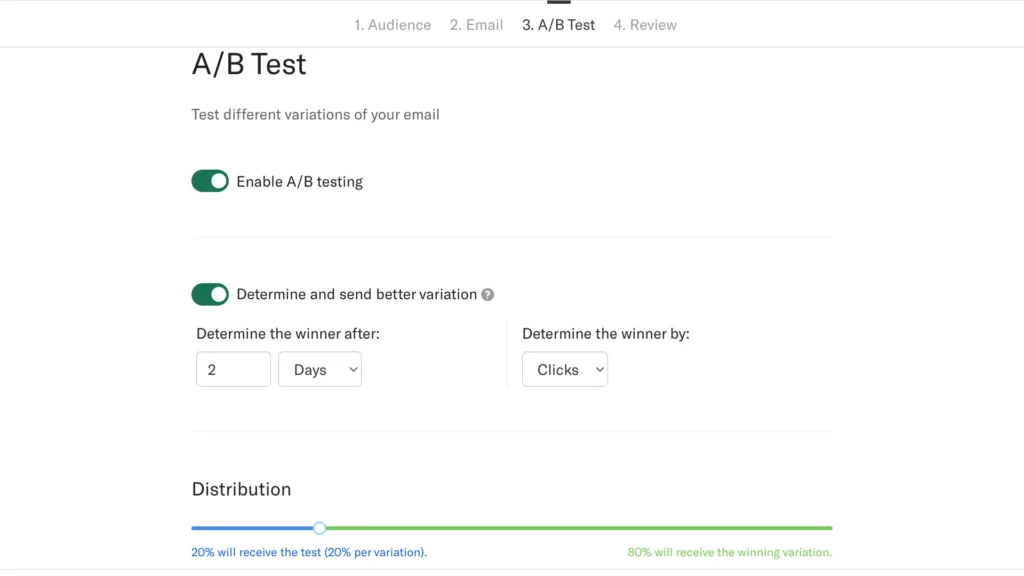
A/B Testing Beyond Subject Lines
While many tools offer subject line testing, Encharge allows you to test entire email variants, including:
- Different content approaches
- Call-to-action variations
- Timing adjustments
- Personalization strategies
These tests provide valuable insights that can dramatically improve conversion rates across all your marketing efforts.
Personalization That Goes Beyond {{First_Name}}
Basic personalization is table stakes in email marketing. Encharge takes it further with:
- Dynamic content blocks that change based on user attributes
- Personalized product recommendations
- Custom send times based on individual engagement patterns
- Adaptive flows that change based on previous interactions
This level of personalization creates experiences that feel individually crafted rather than mass-produced.
Lead Scoring and Progressive Profiling
Encharge's lead scoring capabilities help you identify your most engaged prospects:
- Automatically score leads based on behavior and attributes
- Trigger different flows when leads reach scoring thresholds
- Progressively build user profiles as people engage with your content
- Alert sales teams when leads become sales-ready
This creates a seamless handoff between marketing and sales, ensuring no opportunity falls through the cracks.
The Bottom Line: Is Encharge Right for Your Business?
While Encharge offers powerful capabilities for businesses of all types, it particularly shines for:
- SaaS and product-led companies that need deep integration with their product
- Marketing agencies managing multiple clients and campaigns
- Small to mid-sized businesses without dedicated developers for marketing technology
- Growing e-commerce brands looking to enhance customer lifecycle communication
The platform's sweet spot is businesses that have outgrown basic email marketing tools but find enterprise marketing automation platforms too complex or expensive.
Frequently Asked Questions (FAQs)
What is Encharge?
Do I need coding skills to use Encharge?
Can I send newsletters and broadcasts with Encharge?
How does it handle email deliverability?
What types of automations can I build?
Does Encharge support user segmentation?
What integrations does Encharge offer?
Is Encharge suitable for SaaS and product-led businesses?
Does Encharge support A/B testing?
Video Review: Email Marketing Made Easy
Conclusion: Automation That Works for You, Not Against You
Email marketing automation shouldn't be a battle. With Encharge, it becomes what it always should have been: a visual, intuitive process that marketers can manage without technical help or endless frustration.
The platform's combination of power and simplicity means you spend less time fighting with your tools and more time connecting with your audience through relevant, timely, and personalized communication.
Whether you're looking to create sophisticated onboarding sequences, implement behavior-based marketing, or simply streamline your email operations, Encharge provides the capabilities you need without the complexity you don't.

Ready to transform your email marketing?
Consider giving Encharge a try — your future self (and your sanity) will thank you.