Quform – The Ultimate WordPress Form Builder
- Last Update: September 24, 2024
- ThemeCatcher
- Forms
| Plugin Name: | Quform |
|---|---|
| Author: | ThemeCatcher |
| Latest Version: | 2.21.0 |
| Active Installation: | 35,497+ |
| Plugin Category: | Forms |
Table of Contents
Introduction
Quform is a powerful WordPress plugin developed by ThemeCatcher. It allows users to create various types of forms with ease. Whether you need a simple contact form or a complex booking form, Quform has you covered. The plugin is designed to be user-friendly, requiring no coding skills to get started.
Key Features
Quform offers a wide range of features to enhance form building. Users can create multi-page forms, edit entries, and duplicate elements effortlessly. The plugin supports unlimited email notifications and conditional logic. It also integrates with thousands of apps through the Quform Zapier add-on.
User Experience
The form builder is intuitive, featuring drag-and-drop functionality and one-click options. It is compatible with all major browsers and offers settings for both beginners and professionals. Users can preview forms while building and customize them with various styling options.
Advanced Capabilities
For advanced users, Quform provides extensive customization options. It includes 19 different element types, reCAPTCHA v3, hCaptcha, and Cloudflare Turnstile integration. Users can export form entries to multiple file formats and save data to custom database tables.
Design and Styling
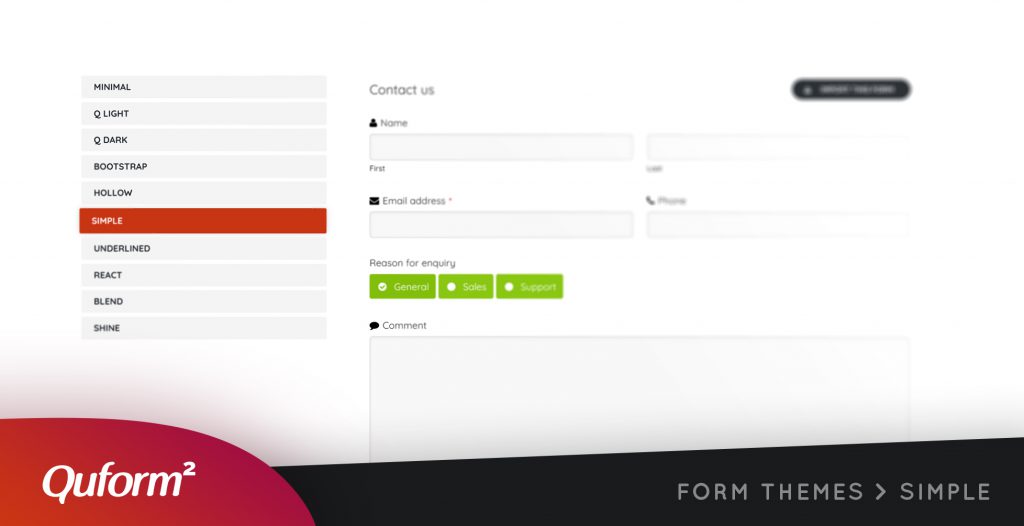
Quform not only focuses on functionality but also on aesthetics. It includes 11 themes, various button styles, and label layouts. Users can easily modify form colors, element sizes, and add custom CSS. The plugin also supports responsive columns and includes FontAwesome for enhanced design.
Important Features
- Multi-page forms
- Edit entries
- Duplicate elements
- Movable submit button element
- Unlimited emails from a single submission
- Conditional logic on notifications
- Add attachments to notifications
- Limit form entries
- Form scheduling
- Integration with thousands of apps via Quform Zapier add-on
- Create multilingual forms using WPML
- Confirmation system logic
- RTL support
- Labeling system for form entries
- Trash forms and entries
- Migrate tool
- Performance enhancements
- CSRF protection
- Fancybox versions 1-3 and Magnific Popup support
- Kendo UI Timepicker and Datepicker
- Background images or icons on Checkbox or Radio elements
- Optgroups in Select and Multi Select
- Side-by-side elements in the form builder
- Column Layout element for complex form layouts
- Export entries to .xls, .xlsx, .csv, .ods, or .html files
- 19 included element types
- reCAPTCHA v3, hCaptcha, and Cloudflare Turnstile integration
- Browser autofill support
- Responsive forms
- Drag and drop form elements
- Fully translatable
- Easy to use user interface
- View submitted form entries inside WordPress admin
- Send submitted form data via email
- Conditional logic to show/hide fields
- Dynamically set form values from the URL
- File uploads, sent as attachments or saved to the server
- Preview while building
- File upload progress
- Conditionally set recipients based on form values
- Save form data to a custom database table
- 6 optional filters to strip unwanted submitted data
- 15 optional validators to require specific data from the user
- Import/export forms across websites
- Prevent spam with 5 CAPTCHA options
- Fully compatible with WordPress 5.2 or later (6.7.x compatible)
Frequently Asked Questions (FAQs)
Q: Do I need coding skills to use Quform?
A: No, the plugin is designed to be user-friendly and requires no coding skills to create forms.
Q: Can I create multi-page forms with Quform?
A: Yes, it supports the creation of multi-page forms.
Q: Does Quform integrate with other applications?
A: Yes, It integrates with thousands of apps through the Quform Zapier add-on.
Q: Is Quform compatible with all major browsers?
A: Yes, the plugin is compatible with all major browsers.
Q: Can I export form entries to different file formats?
A: Yes, you can export form entries to .xls, .xlsx, .csv, .ods, or .html files.
Q: Does it support responsive design?
A: Yes, it supports responsive forms that work well on various devices.
Q: What CAPTCHA options are available in Quform?
A: It includes reCAPTCHA v3, hCaptcha, and Cloudflare Turnstile integration to prevent spam.
Conclusion
In summary, Quform is a versatile and user-friendly WordPress form builder. It offers a plethora of features and customization options, making it suitable for both basic and advanced users. With this plugin, creating and managing forms on your WordPress site becomes a seamless experience.

Take Your Website to the Next Level with Quform!
Ready to enhance your WordPress site with powerful and customizable forms? Quform is the solution you've been looking for. Don't wait any longer—unlock the full potential of your website today!
And transform your forms
Disclaimer: This article might contain affiliate links, meaning we may earn a commission if you click through and make a purchase at no extra cost to you.